Answered
SafeSend Organizer - client comments

When a client leaves a note for the preparer in their Digital Organizer, it currently prints out as a summary with only the page heading to help the preparer know where the comment was inserted. This is very problematic when a client has multiple rental properties and leaves specific comments on each one. The summary includes generic headings, and we can't tell which comment goes with which property.
It would be more helpful if client notes printed out with their corresponding organizer pages rather than as a summary at the end.
Comments
Hello Sherry!
This is an excellent idea and I've passed it along to our Product and Development teams for consideration. Thank you for the suggestion!
In addition to the above: of of our clients provided feedback that it was not clear to them that they could add feedback on specific organizer pages. There may be an "add comment" icon, but this particular client only located a place to add questions/comments at the very end.
Hello Daniel!
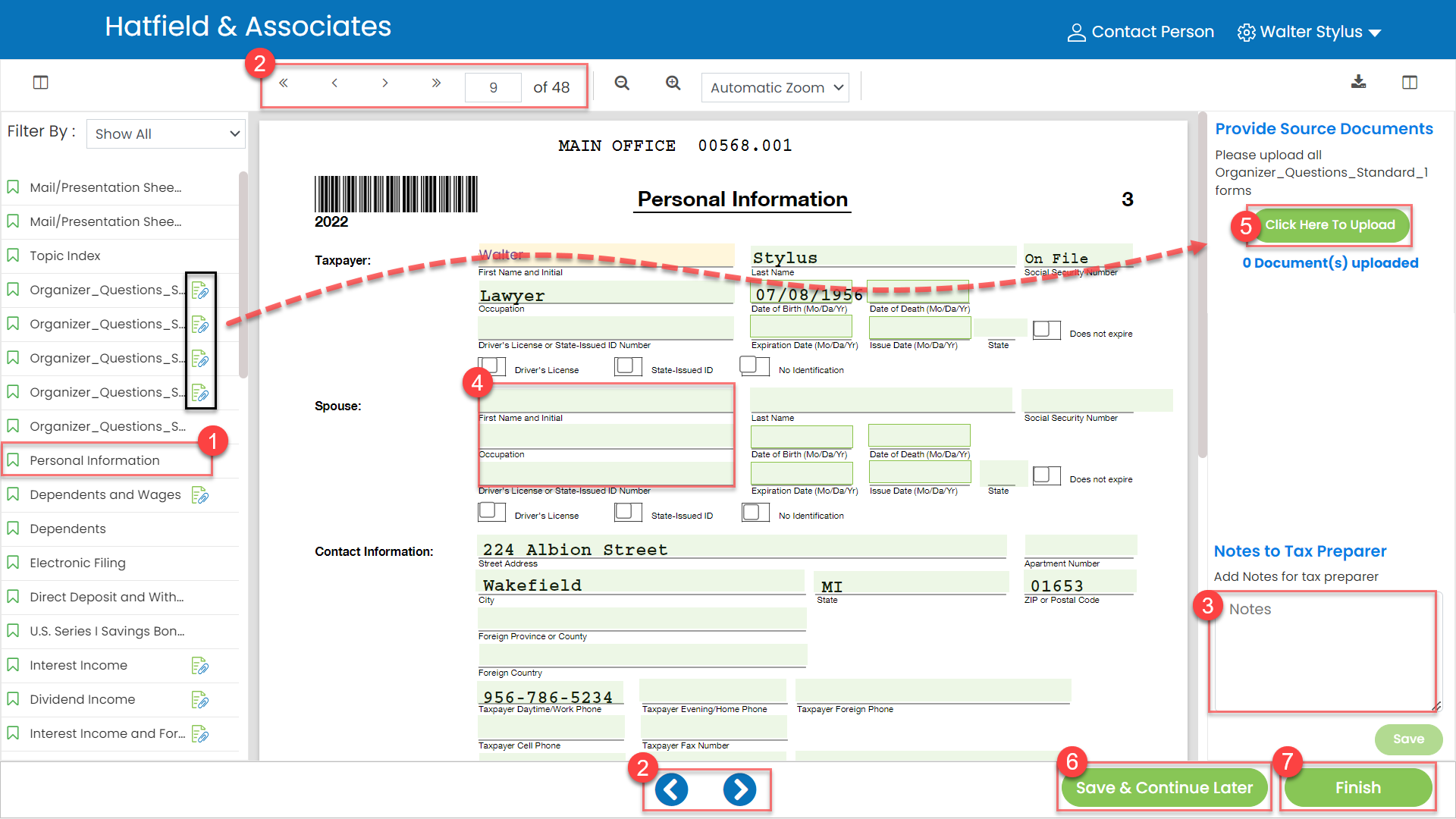
For SafeSend Organizers and Gather AI, the option to add a comment should be on the right for every page (see item 3 in below image):
For more information you can check out these articles:
Organizer Client Experience
Gather Client Experience
Please sign in to leave a comment.