Payment Vouchers Online only

This year, we would like to not send our clients the traditionally payment vouchers, as the IRS has claimed that they will not be accepting physical payments. But, we still want the reminders to be set-up. I saw that we could add the payments manually (huge hassle), or add a watermark one-by-one to each voucher. Is there a way to change our firm settings so that all vouchers come through as this box: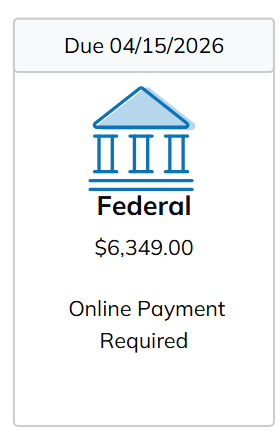
We also tried doing the AI creation of vouchers from the filing instructions, which worked, but I had to click around on each individual voucher, which is really time consuming. There HAS to be an easier way to do this.
Comments
We use CCH and we changed our default instructions inside Tax to all say online payment so it flows to SafeSend correctly. You may want to see if that's an option in your tax software. Hope this helps! Happy tax season!
Agree! The other downfall of the "workaround" is that there is no "button" for the client to click on to take them to the IRS payment web page like there is when there is a federal voucher included.
Please sign in to leave a comment.